Snakey
Menu: arrow keys or directional swipe
The actual SNAKEY menu describes collecting energy cores and avoiding barriers and your own body, with arrow keys or a directional swipe.
Menu or first-round observation; not every level completed.
Choose the first input before loading a game
A mouse move, a directional swipe and a keyboard jump lead to different games. Compare the documented examples below, then open a specific provider build. The full library keeps 199 distinct play areas, including entries whose detailed rules remain unconfirmed.
Choose a documented input before loading a play area. These examples separate actual menu or board observations from distributor instructions. A mouse/tap label is an input note, not a promise that every phone or game feature works.
Input groups overlap: a documented drag can appear under both pointer and directional swipe or drag. These are input notes, not device compatibility guarantees.
Preparing filters…
Menu: arrow keys or directional swipe
The actual SNAKEY menu describes collecting energy cores and avoiding barriers and your own body, with arrow keys or a directional swipe.
Menu or first-round observation; not every level completed.
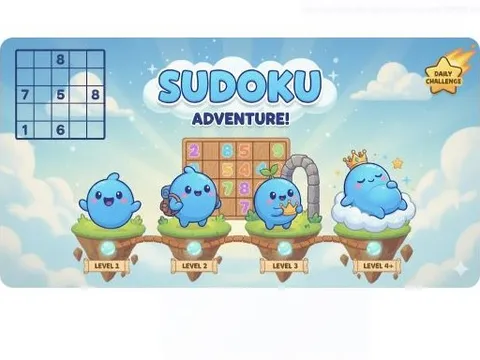
Observed: click an adjacent numbered tile
The observed first board is a 2×2 numeric sliding puzzle. Clicking the 3 tile beside the empty space moved it from the lower-left to the lower-right cell and changed Moves from 0 to 1.
Menu or first-round observation; not every level completed.

Observed: Play, then Tap to Play starts the runway
The actual menu says Queen Run. Level 1 shows a character runway and a Tap to Play prompt. Tapping removed that prompt and the runway scene advanced; this is not a bee colony simulation.
Menu or first-round observation; not every level completed.

Observed: Play, then tap the first highlighted prompt
The actual build is Ninja Attack, despite the distributor Santa Claus Shooting alias. Its menu and first round show a ninja, fruit and spinning hazards. A first tap on the green prompt started the round and the displayed score changed from 0 to 1.
Menu or first-round observation; not every level completed.
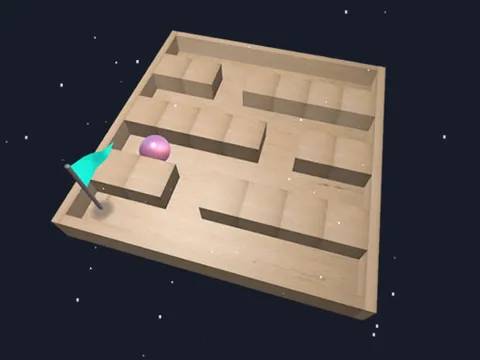
Distributor: mouse or tap rotates the board
Rotate a board so a ball reaches its goal, avoiding alien hazards.
Description or embedded help; not a completed play test.

Distributor: left/right arrows or side taps
Drive along a highway while avoiding heavy traffic. The listing mentions an endless route and day/night lighting.
Description or embedded help; not a completed play test.

Distributor: X jumps; Z slides
Run through pixel landscapes with obstacles and flying enemies.
Description or embedded help; not a completed play test.
Distributor: mouse or touch-drag; Esc/P pauses
Consume smaller neon spheres to grow while avoiding larger entities.
Description or embedded help; not a completed play test.

Distributor: hold left mouse to place a block
Place wooden blocks on a board to fill it and complete its puzzle.
Description or embedded help; not a completed play test.

Distributor: W/A/D or arrow keys
Collect gifts while remaining on a rolling snowball and avoiding the upper and lower boundary lines.
Description or embedded help; not a completed play test.

Distributor: move the mouse left/right
Catch falling boxes with a ship before a box reaches the water.
Description or embedded help; not a completed play test.

Distributor: hold left mouse and drag
Move a black hole to absorb objects and grow before the timer ends.
Description or embedded help; not a completed play test.
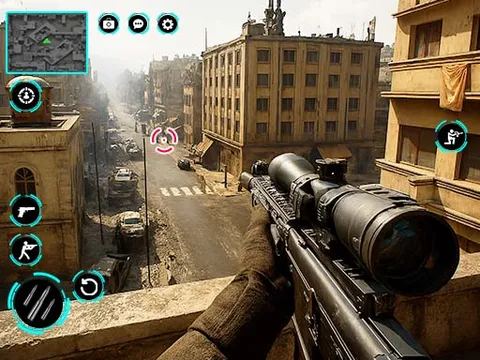
Distributor: left click fires; right click zooms; wheel adjusts zoom
Complete sniper shooting missions.
Description or embedded help; not a completed play test.
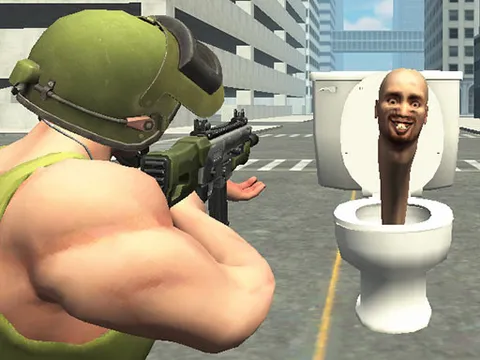
Distributor: WASD moves, mouse fires/aims; R reloads
Shoot the specified number of Skibidi Toilets to progress and unlock weapons.
Description or embedded help; not a completed play test.

Observed screen: arrows or W/A/D move; E exits
The observed first level asks you to reach a gift. Its instruction screen shows arrow keys or W/A/D for movement and E to exit. A held Right key moved the snowball along the platform; the run was not completed.
Menu or first-round observation; not every level completed.

Observed opening: left/right drag prompt
The first observed scene shows a yellow car on an elevated track, Level1 and position6th. A left/right drag prompt is displayed. A drag started the race; flight, upgrades and a finish result were not tested.
Menu or first-round observation; not every level completed.
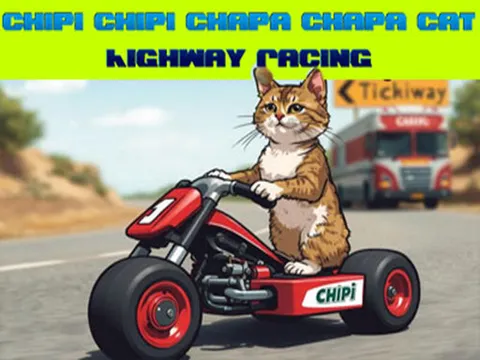
Observed One Way/Sunny: Up accelerates; Right steers
The opening splash uses the catalogue’s cat-highway title, then opens a vehicle selector. We selected One Way and Sunny and observed a highway run. Holding Up raised the displayed speed; Right moved the vehicle toward the right lane.
Menu or first-round observation; not every level completed.
Opening a game is your choice. The provider can show ads and store data; Stop game unloads the frame. Read the game page’s exact source note before using a key binding from a similarly named game.
Preparing search…
The three starting collections cover arcade, vehicle and shooting labels supplied with the catalogue. Other labels remain in All 199 games. A category does not guarantee identical rules, inputs or device support.
These examples use distributor input notes. Read the exact source note before starting; an instruction page is not a completed play test.
The Snakey document said Whot, but its visible menu is a snake game. The Number Puzzle document said Candy Map, but its visible board uses numbered sliding tiles and an adjacent-tile click moved a tile into the empty cell. Queen Run and Ninja Attack also use older catalogue aliases. The original URLs remain, with the real observed game described.
How sources and observations are separatedLoad game creates the provider frame when the controls are ready. Stop game unloads it; Resume and Reload create a new play area and may lose an unsaved run. Open provider is a direct alternative. Providers can show their own ads and use storage. The site does not provide a player account or guarantee saved progress.
Site preferences and provider boundaries